Web Licensing - How to update a license version manually
THIS INFORMATION ONLY PERTAINS TO SOFTWARE VERSIONS IDL 8.5, ENVI 5.3 AND PRIOR
Topic:
This help article describes the process and steps taken to change the license product version via the Exelis Visual Information Solutions web licensing portal.
FIRST AND FOREMOST-
You must be listed as an authorized license administrator and must be current on Maintenance in order to have access and to make changes to maintenance contracts and/or license files.
Please refer to Help Article 5348 for user permissions.
Process:
Navigate to your existing license under your Account tab and select the appropriate number you are looking to update to a different version.
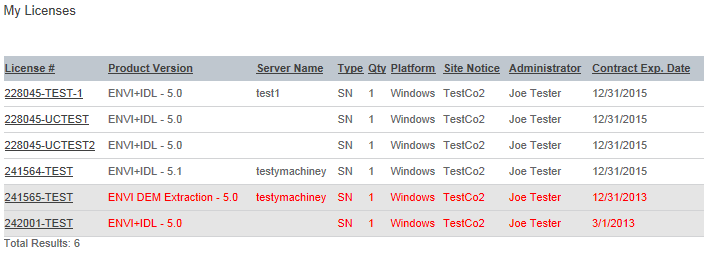
Note: In order to make any changes to your license file, you must first select the check box to agree to the license agreement. Once selected, the fields can now be updated/edited.
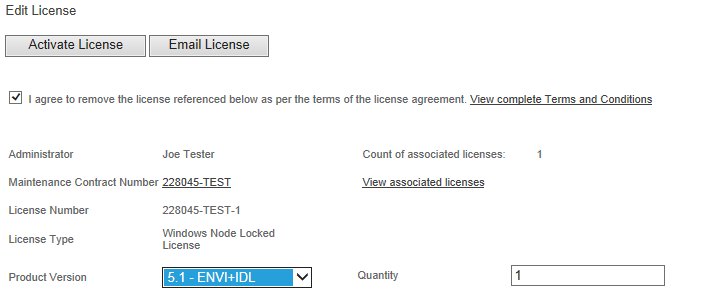
Once the appropriate version needed is selected you can then finish out the Activation and Emailing license steps.
Please refer to Help Article 5373 for additional assistance generate the new license file.
Please refer to Help Article 5369 for additional assistance Emailing the license.